
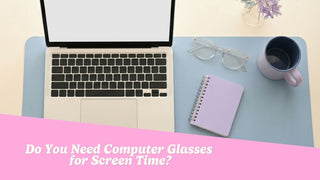
If you spend most of your workday looking at a laptop or desktop monitor, you may have wondered whether computer glasses could make screen time more comfortable.
The answer is not as simple as assuming everyone who uses a screen needs special glasses.
Computer glasses may be helpful when your current prescription does not provide comfortable vision at your normal screen distance. However, tired or irritated eyes can also be connected to dry eyes, glare, poor lighting, workstation setup, an outdated prescription, or long periods without a break.
Computer glasses are also not necessarily the same thing as blue-light glasses. Understanding the difference can help you shop more confidently and avoid paying for features that may not address the reason your eyes feel uncomfortable.
This guide provides general shopping and eye-comfort information. It cannot diagnose the cause of screen-related symptoms or determine whether you need prescription computer glasses.
What Are Computer Glasses?
“Computer glasses” is a broad term that can describe several different types of eyewear.
Some computer glasses contain a customized prescription designed for the distance between your eyes and your monitor. Others are non-prescription glasses with clear lenses, anti-reflective treatments, light tints, or blue-light filters.
Because these products can be very different, it is important to read the lens information carefully before buying.
Prescription Computer Glasses
Prescription computer glasses are designed around the wearer’s vision and normal working distance.
A desktop monitor is usually positioned farther away than a book but closer than something across the room. Eye-care professionals often describe this as an intermediate viewing distance.
Regular reading glasses are generally intended for closer tasks, while distance glasses are designed for objects farther away. Neither pair may provide the most comfortable correction for a computer monitor.
Prescription computer glasses may account for:
- Nearsightedness
- Farsightedness
- Astigmatism
- Presbyopia
- Different prescriptions in each eye
- The distance between the wearer and the screen
A comprehensive eye exam can determine whether your current glasses provide appropriate correction for your computer setup.
Non-Prescription Computer Glasses
Non-prescription computer glasses do not correct nearsightedness, farsightedness, astigmatism, or differences between the eyes.
They may include:
- Clear plano lenses
- Blue-light-filtering lenses
- Anti-reflective treatments
- Lightly tinted lenses
- Fashion frames marketed for screen use
These glasses may appeal to shoppers who do not need vision correction but prefer a particular lens treatment or frame style.
Non-prescription computer glasses should not replace prescription lenses when you need corrective power to see your screen clearly.
Occupational or Office Lenses
Occupational lenses are customized prescription lenses designed for the distances commonly used while working.
They may include separate viewing areas for:
- A phone or printed document
- A laptop or desktop monitor
- People or objects elsewhere in an office
Unlike everyday progressive lenses, many office lenses prioritize near and intermediate vision rather than long-distance viewing. They are generally not intended for driving unless an eye-care professional specifically confirms otherwise.
Do You Need Computer Glasses?
You do not automatically need computer glasses simply because you spend several hours a day using digital devices.
They may be worth discussing with an eye-care professional when your current glasses do not provide comfortable vision at your usual screen distance.
Possible signs that your current correction or setup deserves a closer look include:
- Leaning toward the screen to read
- Increasing text size more than expected
- Moving the monitor repeatedly to find a clear distance
- Tilting your head to see through a particular part of your lenses
- Finding that regular readers feel too strong for a monitor
- Struggling to see the screen clearly through distance glasses
- Experiencing recurring blurry vision during computer work
- Changing your posture to see through progressive lenses
These experiences do not prove that you need computer glasses. They can also be associated with dry eyes, glare, an outdated prescription, uncorrected astigmatism, or other vision concerns.
A comprehensive eye exam can identify whether dedicated computer lenses are appropriate or whether another change would be more useful.

What Is Digital Eye Strain?
Tired, dry, irritated, or uncomfortable eyes after prolonged screen use are often grouped under https://www.aao.org/eye-health/tips-prevention/computer-usage, sometimes called computer vision syndrome.
Possible symptoms include:
- Tired or sore eyes
- Dryness or irritation
- Blurry vision
- Difficulty shifting focus
- Headaches during close work
- Neck or shoulder discomfort
- Sensitivity to glare
- Frequent squinting
Digital eye strain does not have one single cause. Vision correction, blinking, dryness, lighting, screen position, posture, glare, and uninterrupted periods of close focus can all play a role.
Computer glasses may address certain vision-related contributors, but they will not necessarily resolve symptoms caused by every part of the screen environment.
Computer Glasses vs. Reading Glasses
Computer glasses and reading glasses are both commonly used for closer tasks, but they are generally designed for different viewing distances.
Reading Glasses
Reading glasses are usually intended for tasks performed relatively close to the face, such as:
- Reading a book
- Looking at a phone
- Reviewing a menu
- Reading labels
- Sewing
- Completing detailed crafts
Ready-made readers usually provide the same magnification in both lenses. They do not account for astigmatism, different prescriptions between the eyes, or other customized needs.
Computer Glasses
Computer glasses are intended for the intermediate distance where a monitor is normally positioned.
A pair of readers that makes a book clear may require you to sit closer than usual to your computer. This can encourage leaning, neck strain, or an uncomfortable workstation position.
Prescription computer glasses can be customized around:
- Your normal screen distance
- The height of the monitor
- The number of screens you use
- Whether you also review printed documents
- Whether you frequently look across the room
- Your individual prescription
Do not attempt to calculate a computer prescription by reducing the strength of reading glasses or modifying a distance prescription. An eye-care professional can determine the correct lens power for your working distance.
Are Computer Glasses the Same as Blue-Light Glasses?
Computer glasses and blue-light glasses are not interchangeable terms.
Computer glasses describe eyewear intended to support vision at a computer distance. Blue-light glasses describe lenses that filter a portion of short-wavelength visible light.
A pair of glasses could be:
- Prescription computer glasses without a blue-light filter
- Non-prescription blue-light glasses
- Prescription distance glasses with a blue-light filter
- Computer glasses with an anti-reflective treatment
- Clear plano glasses marketed for screen use
A blue-light filter is an optional lens feature. It does not tell you whether the glasses contain corrective power or are designed for your specific screen distance.
Do Blue-Light Glasses Help With Digital Eye Strain?
Blue-light glasses are frequently marketed as a solution for tired eyes, headaches, poor sleep, and screen-related eye damage. Many of these claims go beyond what current evidence supports.
Research has not established that blue-light-filtering lenses meaningfully reduce digital eye strain for most people compared with standard lenses. The American Academy of Ophthalmology also states that blue light from computers does not lead to eye disease.
This does not mean that no one enjoys wearing filtered or lightly tinted lenses. Some shoppers may prefer the appearance of a tint or feel that a particular lens is subjectively more comfortable.
However, blue-light glasses should not be described as products that:
- Protect the retina from normal screen exposure
- Prevent eye disease
- Eliminate digital eye strain
- Cure headaches
- Improve an inaccurate prescription
- Replace regular eye exams
- Prevent permanent damage from device use
Blue-light filters also cannot correct nearsightedness, farsightedness, astigmatism, or presbyopia unless the lenses contain the appropriate prescription.
What About Anti-Reflective Coatings?
Anti-reflective coatings are different from blue-light filters.
These treatments are designed to reduce reflections from the front and back surfaces of a lens. This may make lenses appear clearer and reduce distracting reflections under certain lighting conditions.
An anti-reflective coating may be worth considering when you:
- Work beneath bright overhead lighting
- Sit near windows
- Regularly join video calls
- Notice reflections across your lenses
- Drive at night while wearing prescription glasses
The coating should be presented as a feature that reduces lens reflections rather than a treatment for digital eye strain or an eye-health condition.
Keeping your lenses clean can also make a difference. Fingerprints, oil, dust, and makeup can reduce clarity and create additional reflections.

Why Can Screens Make Your Eyes Feel Tired?
Screen discomfort is often influenced by several factors happening at the same time.
You May Blink Less
People tend to blink differently while concentrating on digital devices. Less frequent or incomplete blinking can contribute to dryness, burning, or irritation.
Spending long periods looking at a computer, tablet, or phone can be associated with dry-eye symptoms. Regular breaks and professional evaluation may help when dryness persists.
You Are Focusing at One Distance
Holding your focus at one distance for an extended period can make the eyes feel tired, particularly when your prescription is outdated or not suited to that distance.
Your Prescription May Need Updating
Even a relatively small uncorrected refractive error can affect extended computer work.
Blurry vision, squinting, headaches, tired eyes, and difficulty focusing on a computer can be associated with refractive errors. An eye exam can determine whether your current prescription needs to be updated.
The Monitor May Be Poorly Positioned
A monitor that is too high, low, close, or far away can encourage you to lean, raise your chin, or tilt your head.
The problem can be especially noticeable for progressive-lens wearers who continually reposition their head to locate the intermediate viewing area.
The Room May Be Too Bright or Too Dark
Strong reflections, overhead lighting, bright windows, and a significant difference between screen brightness and room lighting can make viewing less comfortable.
The Air May Be Dry
Heating, air conditioning, fans, and low humidity can contribute to dry-eye symptoms. A fan directed toward your face may make irritation more noticeable during a long workday.
What Can You Try Before Buying Computer Glasses?
A few changes to your screen habits and workstation may improve comfort without requiring new glasses.
Take Regular Visual Breaks
The 20-20-20 rule is an easy reminder. Approximately every 20 minutes, look at something around 20 feet away for at least 20 seconds.
The goal is to interrupt long periods of continuous close focus.
Blink Deliberately
Pause occasionally and complete several slow, full blinks. This may be particularly useful when your eyes begin to feel dry.
Persistent dryness, burning, redness, or irritation should be discussed with an eye-care professional rather than managed solely by changing glasses.
Increase the Text Size
Increase font size or screen zoom instead of leaning closer to the monitor.
You should be able to read comfortably while maintaining a relaxed posture.
Check the Screen Position
Position your monitor so you can see it without repeatedly leaning forward, raising your chin, or tilting your head.
The most comfortable position can depend on your prescription, desk, monitor size, and whether you wear progressive lenses.
Reduce Glare
Try repositioning the monitor, closing nearby blinds, adjusting overhead lighting, or moving lamps that reflect across the screen.
Clean Your Screen and Glasses
Smudges can reduce clarity and create distracting reflections. Use products approved for your screen and lens coatings.
Schedule an Eye Exam
An eye exam can determine whether you need:
- An updated everyday prescription
- Dedicated computer glasses
- Occupational lenses
- Prescription reading glasses
- A different progressive-lens design
- Support for dry-eye symptoms
- Evaluation for another vision concern

Can You Buy Computer Glasses Online?
Computer glasses are widely available online, but shoppers should determine whether they are buying non-prescription eyewear or customized prescription lenses.
Buying Non-Prescription Computer Glasses
Review the product details to confirm:
- Whether the lenses are plano, or zero power
- Whether any magnification is included
- Which lens treatments are provided
- The frame measurements
- The frame and lens materials
- Whether the glasses can be adjusted
- The return and exchange policy
- Proper cleaning instructions
Someone who needs prescription correction should not replace their usual glasses with non-prescription computer glasses simply because the product is marketed for screen use.
Buying Prescription Computer Glasses
Use a current prescription written for your intended working distance.
Do not:
- Estimate your power from your age
- Copy the ADD value from a progressive prescription
- Modify a distance prescription
- Guess based on a pair of readers
- Use an online self-test to determine corrective power
Tell your eye-care professional about your workstation and how you use it. Helpful details include whether you use a desktop or laptop, how far you sit from the screen, how many monitors you have, and whether you regularly switch between digital and printed materials.
How Should Computer Glasses Fit?
Computer glasses should stay comfortable and stable throughout your workday.
A suitable frame should:
- Sit level on your face
- Remain stable while you type or look down
- Avoid sliding along your nose
- Feel comfortable behind your ears
- Avoid pressure at the bridge or temples
- Keep your eyes positioned appropriately within the lenses
- Work with your normal seated posture
Fit and lens positioning are especially important with progressive or occupational lenses because different areas of the lens are designed for different viewing distances.
When shopping online, compare the listed lens width, bridge width, and temple length with a pair of glasses that already fits you well.
Small fit issues can often be corrected by a local optician, but adjustments cannot completely fix a frame that is significantly too wide or narrow.
When Should You Schedule an Eye Exam?
Schedule a comprehensive eye exam when:
- Screen-related symptoms are persistent or worsening
- One eye sees differently from the other
- Your monitor remains blurry after adjusting the settings
- You experience double vision
- You frequently lose your place while reading
- You already wear glasses but still struggle at the computer
- You have persistent dryness, redness, or light sensitivity
- Your prescription may be outdated
- You have not had a recent eye exam
New floaters that appear suddenly and do not go away should also be reported to an eye doctor. Sudden vision loss, new flashes, a shadow across your vision, or severe eye pain requires prompt professional attention rather than new computer glasses.
Common Myths About Computer Glasses
Everyone Who Uses a Screen Needs Computer Glasses
Many people see their screens comfortably with their existing prescription and good workstation habits.
Specialized lenses are not automatically necessary simply because you work online.
Computer Glasses and Blue-Light Glasses Are the Same
Computer glasses may contain a customized prescription for intermediate vision. Blue-light filtering is only an optional lens feature.
Blue Light From Screens Damages the Eyes
Normal blue-light exposure from computers has not been shown to cause eye disease. Screen use can feel tiring, but discomfort is not the same as retinal damage.
Stronger Magnification Is Better
Incorrect magnification can create an uncomfortable working distance and may encourage poor posture.
Corrective power should be determined by an eye-care professional rather than estimated at home.
Glasses Can Fix Every Screen-Related Symptom
Computer glasses may address an uncorrected or distance-specific vision need. They cannot correct poor lighting, dry air, infrequent blinking, glare, or a badly positioned monitor.

So, Do You Need Computer Glasses?
You may benefit from computer glasses when your current prescription does not provide comfortable vision at your normal screen distance. However, spending a lot of time looking at a monitor does not automatically mean you need specialized eyewear.
Start by improving your screen setup, increasing text size, reducing glare, and taking regular visual breaks.
When discomfort continues, schedule a comprehensive eye exam. An eye-care professional can determine whether you need an updated prescription, dedicated computer lenses, occupational glasses, dry-eye support, or another solution.
Once you know which lens type is appropriate, you can focus on choosing a frame that fits comfortably and complements your personal style. Whether you prefer a classic shape, a bold color, or a lightweight everyday frame, the best computer glasses are the ones that support both your vision needs and the way you actually work.
Related Reading
- How to Find Your Frame Size: A Simple Guide to Choosing Glasses That Fit
- Blue-Light Glasses for Late-Night Studying: Cram Session Eye Relief
- The Office Lens Trend That’s Helping Younger Workers See Better
- Do Colored Contacts Work on Dark Eyes?
- What Are Silicone Hydrogel Contacts? A Complete Guide


The Best Computer Glasses Support the Way You Work
Once you know which lens type is appropriate, you can focus on choosing a frame that fits comfortably and complements your personal style. Whether you prefer a classic shape, a bold color, or a lightweight everyday frame, the best computer glasses are the ones that support both your vision needs and the way you actually work.